1. Start the day on Today
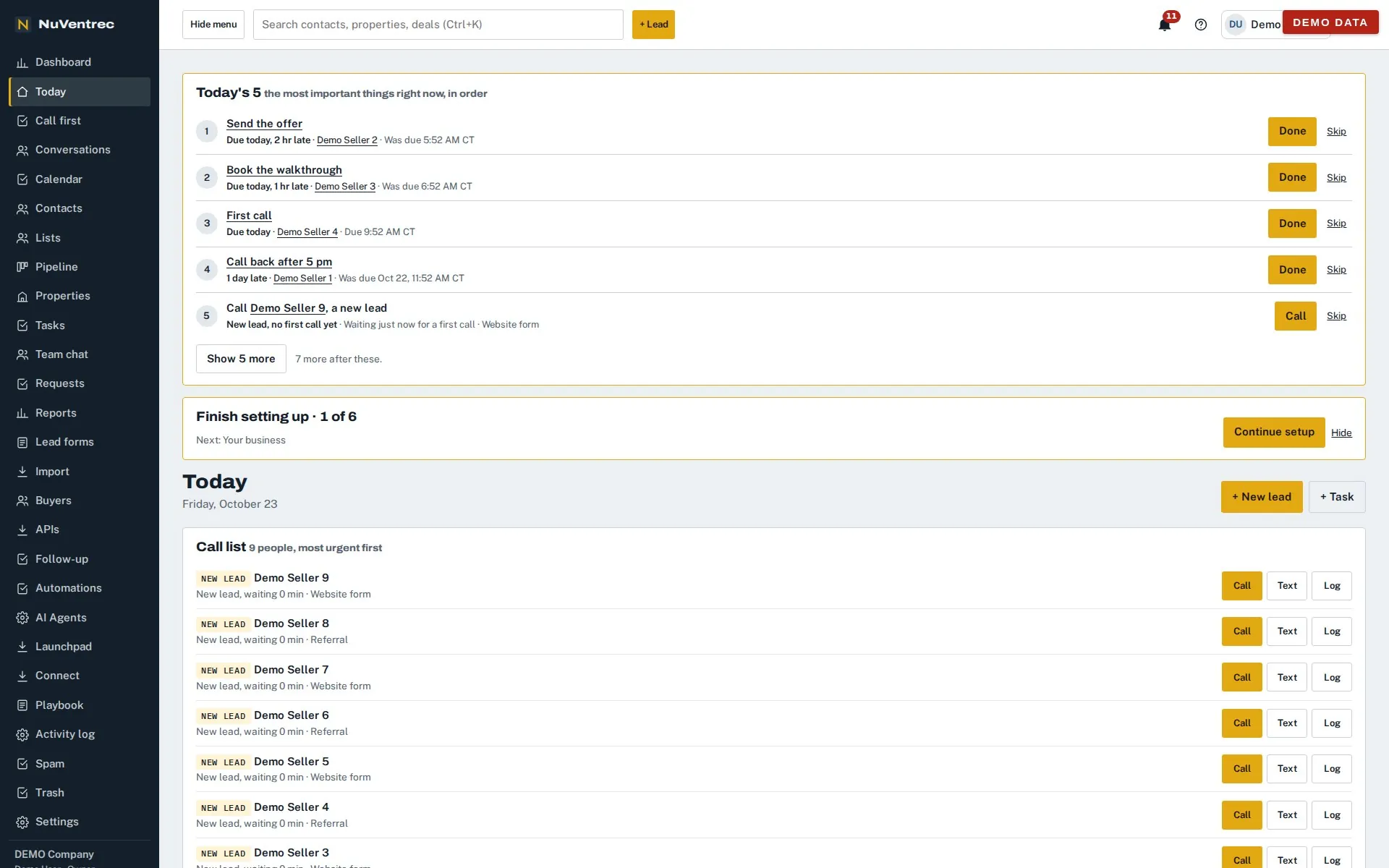
Open the CRM and the day is already sorted. Today's 5 puts the most important things first, in order, each with Done and Skip; below it, the call list shows new leads nobody has called yet, with how long each one has waited. Every row has a Call button and a two-tap Log, so a call and its result go on the record without leaving the list.
2. See every deal on the board
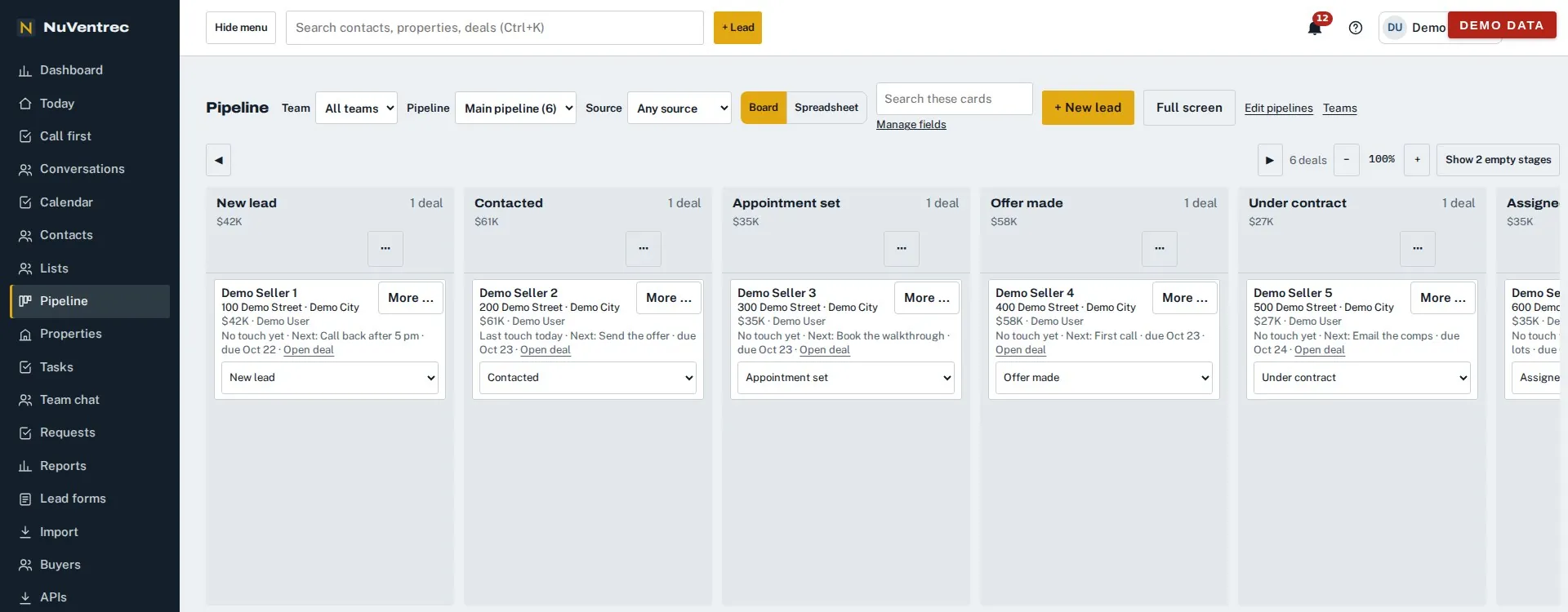
Deals sit in stages you name: for example New, Contacted, Offer sent, Under contract, Closed. Drag a card to move it. Run separate boards for acquisitions, dispositions or land, and require the facts a stage needs before a deal can enter it.
3. One page for the whole seller
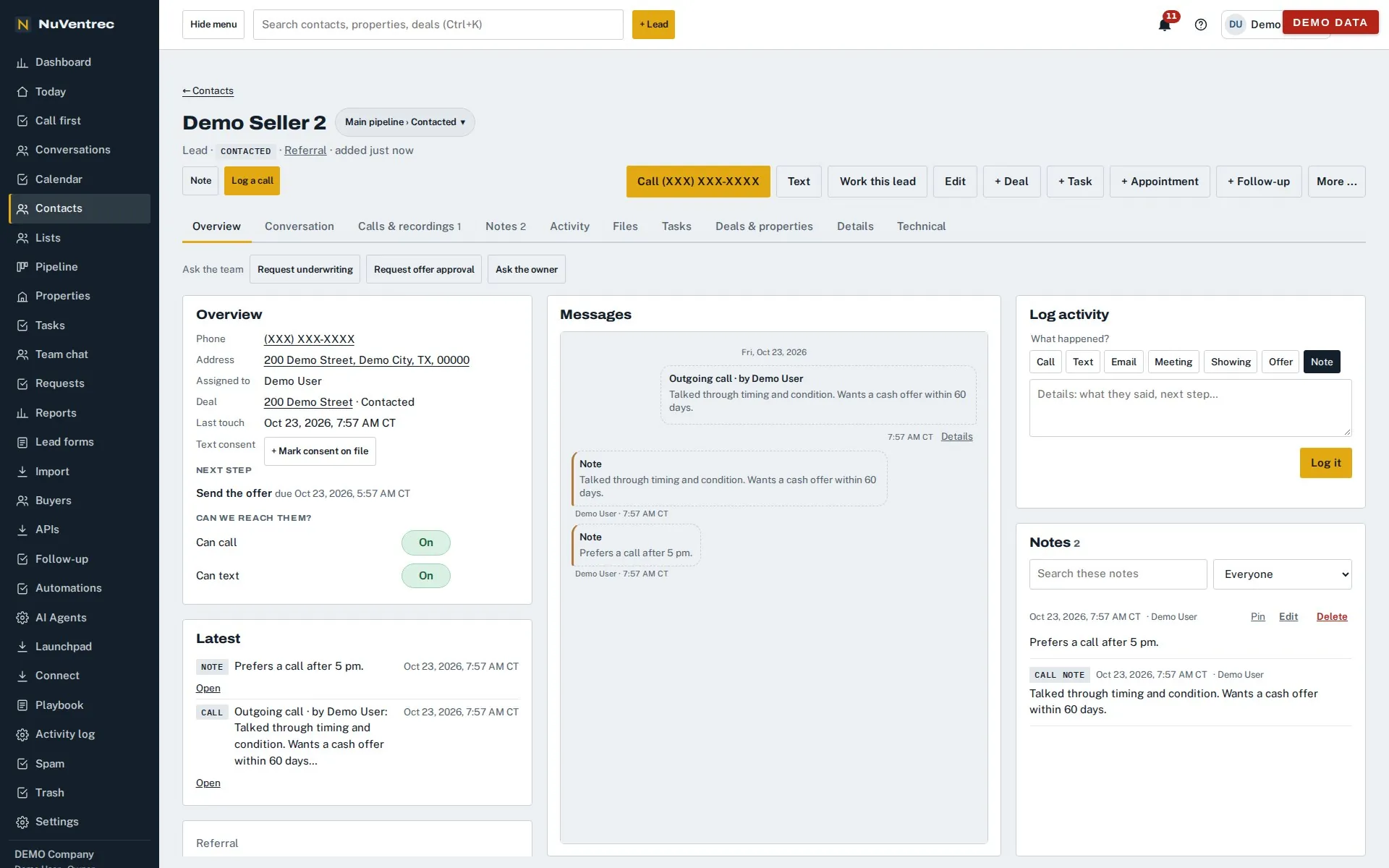
Everything about a seller is on one page: their phone and address, the deal and its stage, the next step with its date, whether they can be called or texted, and every call, text and note in order. Anyone on the team can pick up the conversation where it left off.
4. The same day on your phone
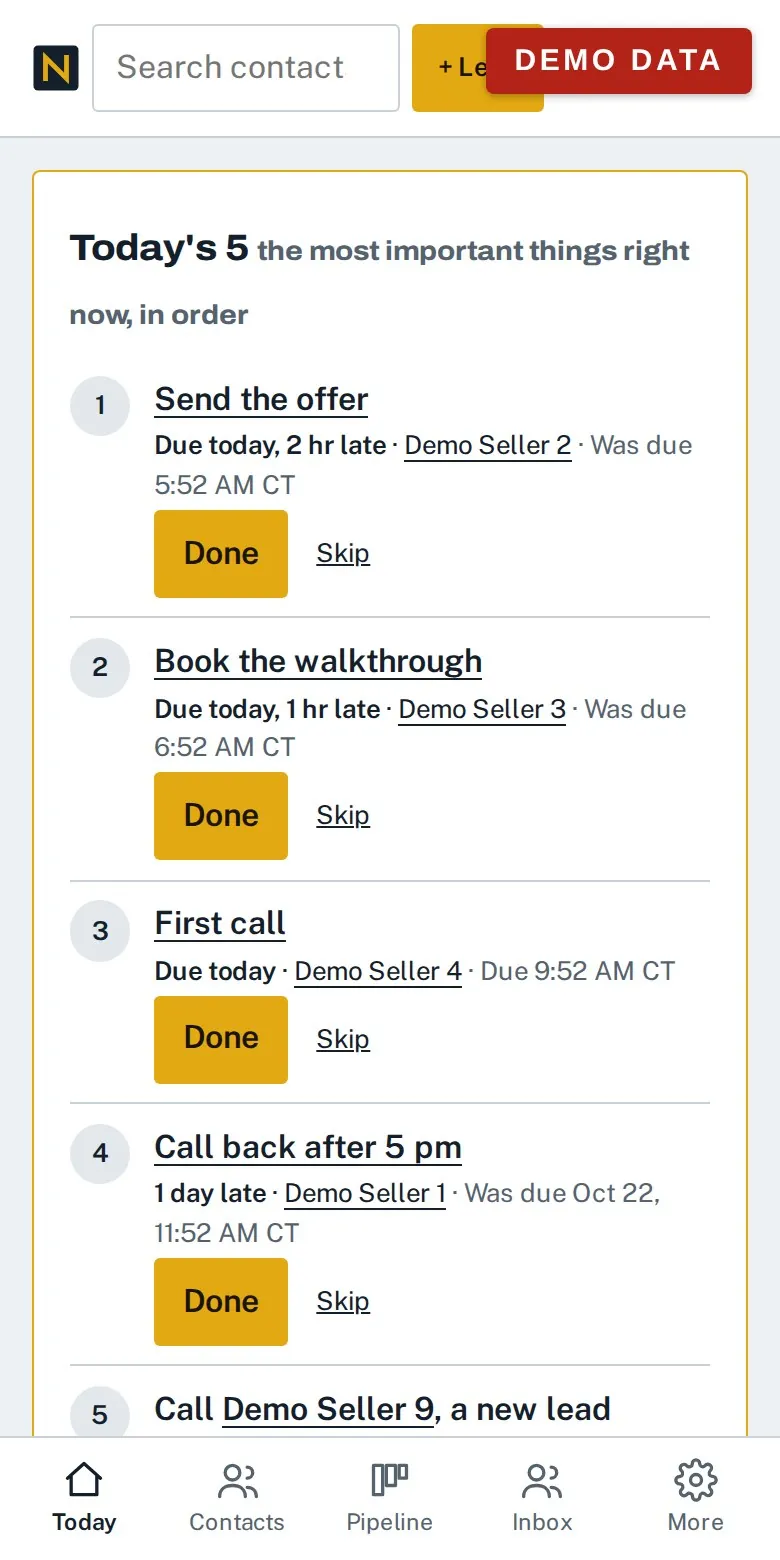
The CRM works in your phone's browser: the call list, tap-to-call, logging the result and moving deals all work on the road between properties. There is no app to install: it runs in your phone's browser.
5. Numbers while you talk
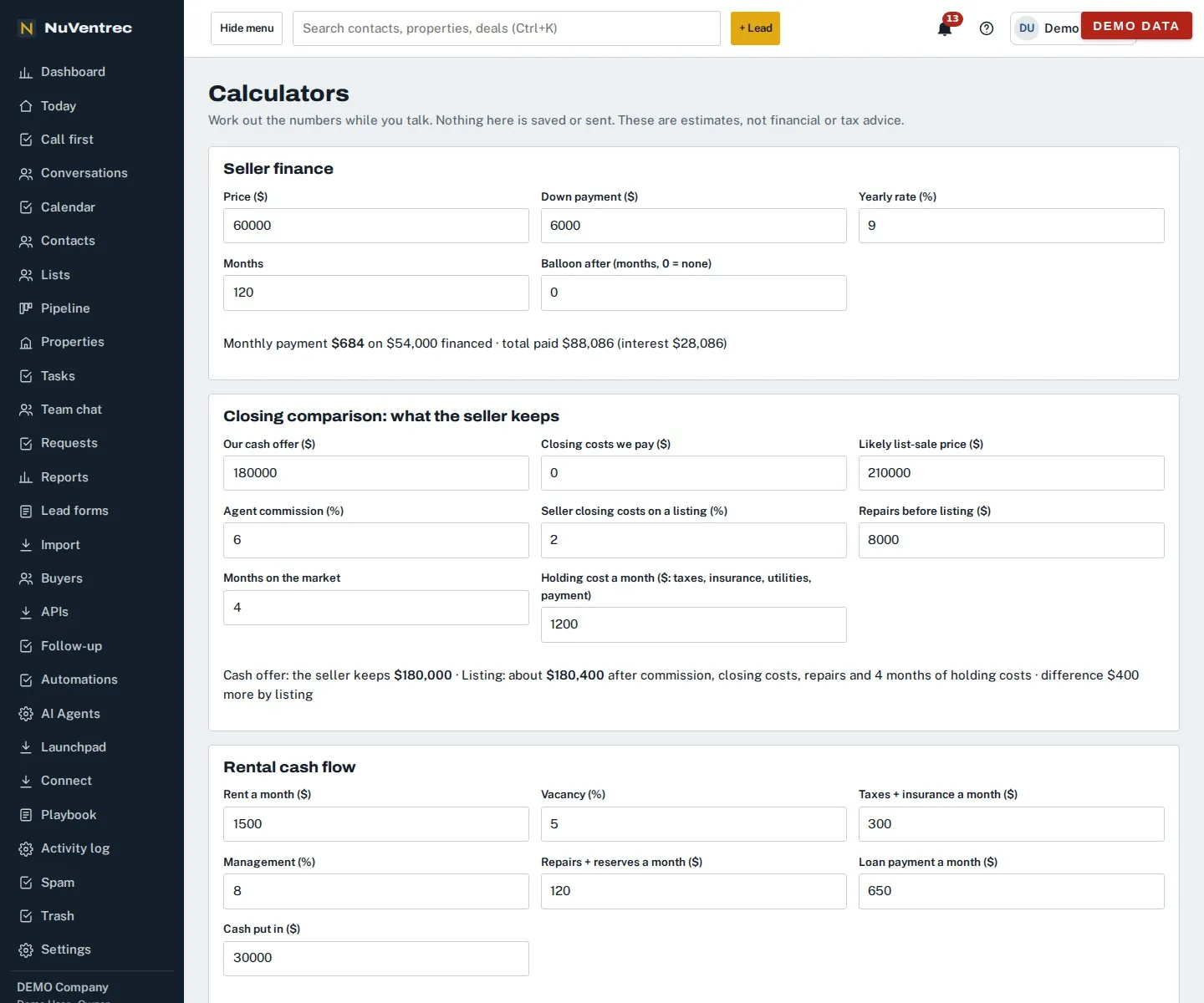
On a call, open Calculators to answer the seller's questions on the spot: the monthly payment on a seller-financed sale, what they would keep from your cash offer compared with listing after commission, repairs and holding costs, or a rental's cash flow. Nothing there is saved or sent, and the page says the numbers are estimates, not financial or tax advice.
6. From offer to closing on the deal
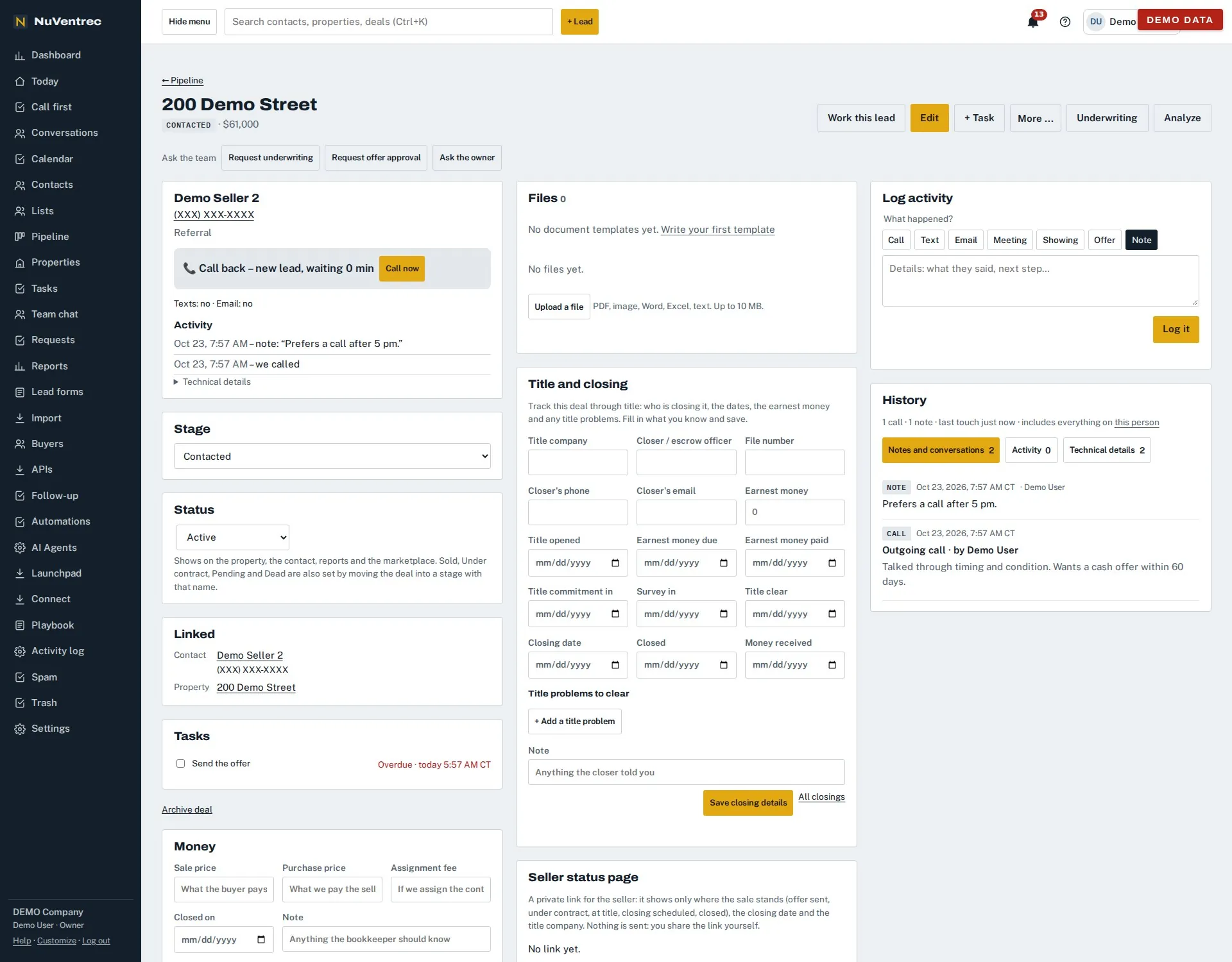
Each deal keeps its own stage and status, the files that belong to it, the title company and every closing date, the title problems still to clear, and the money: sale price, purchase price and assignment fee. A private seller status page shows the seller where their sale stands; nothing is sent, you share the link yourself.
7. Due diligence on the land
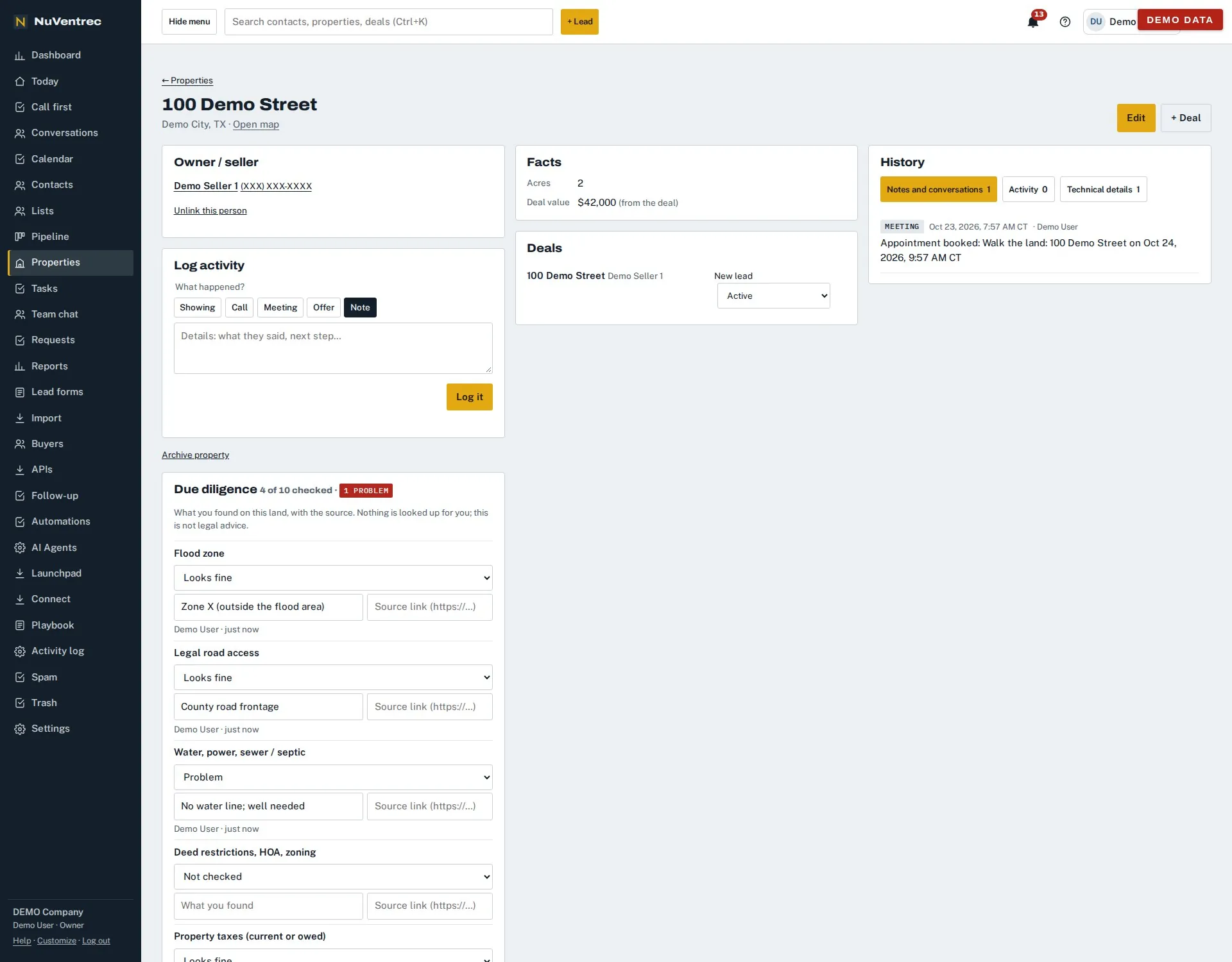
Every property has a due diligence checklist: flood zone, legal road access, water and power, deed restrictions, taxes and more. Mark each one fine, a problem or not checked, write what you found and link the source; the count and any problems show at the top.
8. Where your leads come from
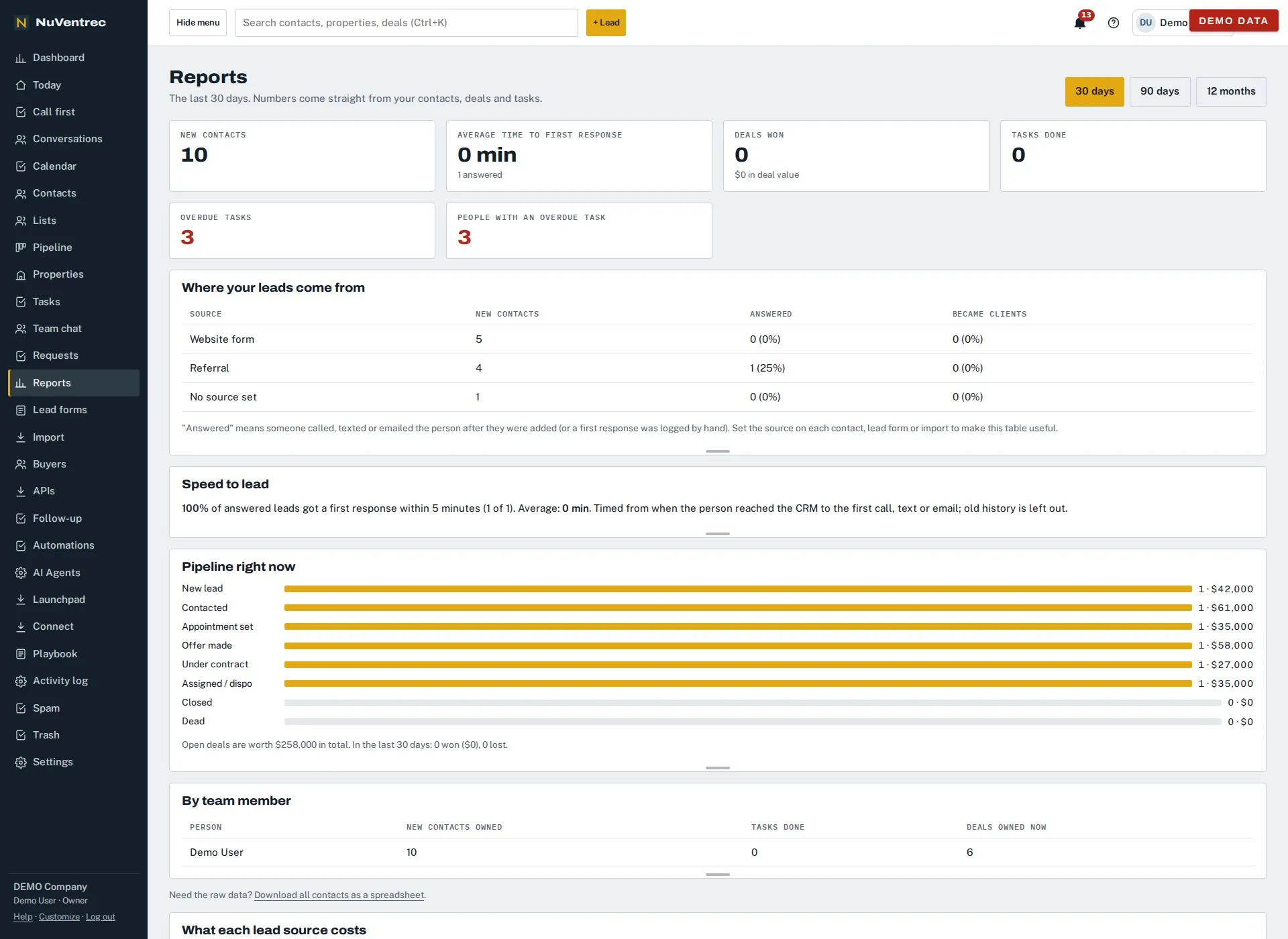
Reports come straight from your contacts, deals and tasks: which sources bring leads and how many were answered, how fast the first response came, what is in each stage of the pipeline, and what each person owns and finished.
What the tour does not show
- Calls and texts from the CRM: calling from the browser and two-way texting with pictures, switched on once your numbers are set up (texting after carrier registration).
- The offer calculator on the deal and buyer matching by buy box. Try the free offer calculator to see the math.
- Import from a spreadsheet or another CRM; check your file with the import checker.
For the whole list, see features. To see it on your own questions, book a 30-minute demo.